Issue overviews
SEOChecker collects the issues it finds in three overviews: validation issues, inbound link errors and configuration errors.
Validation issues
This overview lists all issues found when validating pages. See Validation rules for the checks.
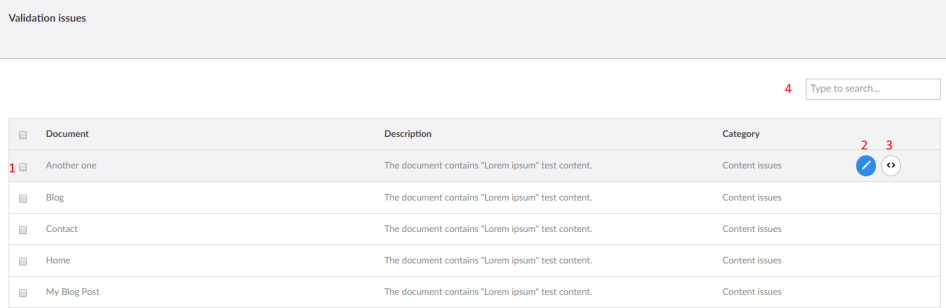
- Select issues for a bulk action: Revalidate or Delete the selected items.
- Open the document.
- Open the template of the document. Only available to users with access to templates.
- Search the issues.
Inbound link errors
SEOChecker logs requests to URLs on your site that don't exist. Some of these it fixes automatically: when a page
is renamed or moved, requests for the old URL are redirected to the new one. For example, when Modules is
renamed to Umbraco Modules, /modules redirects to /umbraco-modules.
Links SEOChecker can't fix are listed in this overview.
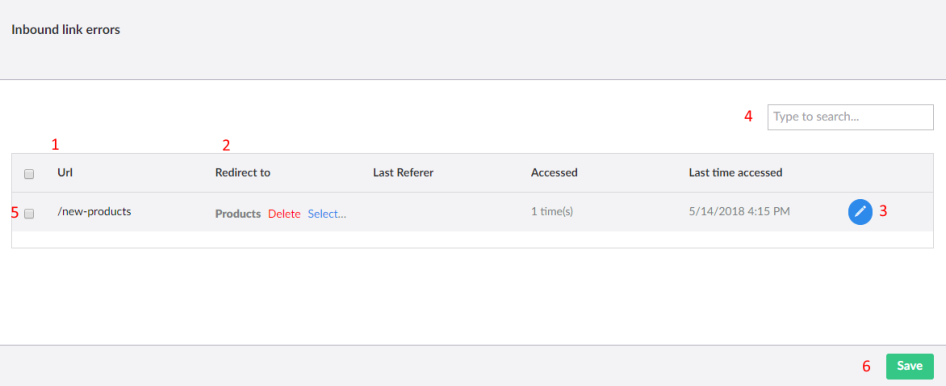
- The broken URL.
- Pick the page to redirect to.
- Set up the redirect with the advanced options. See Redirect manager.
- Search the errors.
- Select errors for a bulk action: Assign them to one page, Delete them or Ignore them.
- Save your changes.
After you pick a page, visitors who request the broken URL are redirected to it. You can change the redirect later in the redirect manager.
Tip
Broken links that are not fixed are removed automatically after 7 days. See PurgeSettings.
Configuration errors
This overview lists issues in the configuration of the website, such as canonical URL problems or a missing
robots.txt.
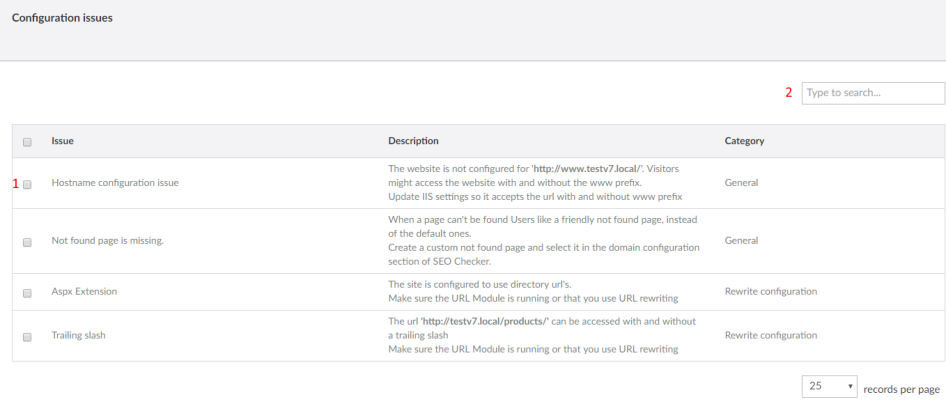
- Select issues to delete or ignore them.
- Filter on a specific issue.
Delete or ignore an issue
Click Delete in any overview to remove an issue.
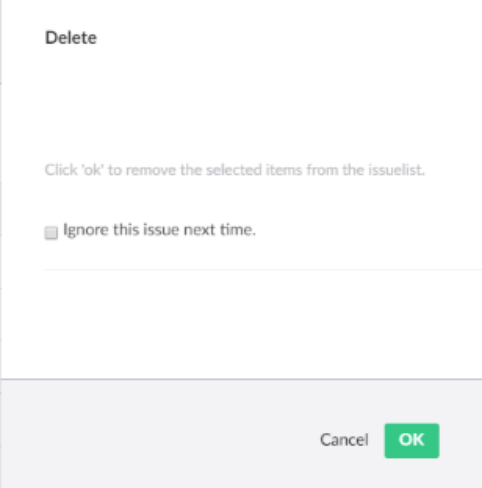
- Delete only removes the issue from the overview. It comes back the next time the page is validated.
- Select Ignore this issue next time to add the issue to the ignore list. It is not reported again.